
Every feature, in one list
Alerts, a feed, messaging, calendars, sports, staff tools and a web app, all in your school’s own private app. Here is each feature and what it does.
Communication & feed
A feed each family shapes for themselves, and the tools staff need to fill it well.
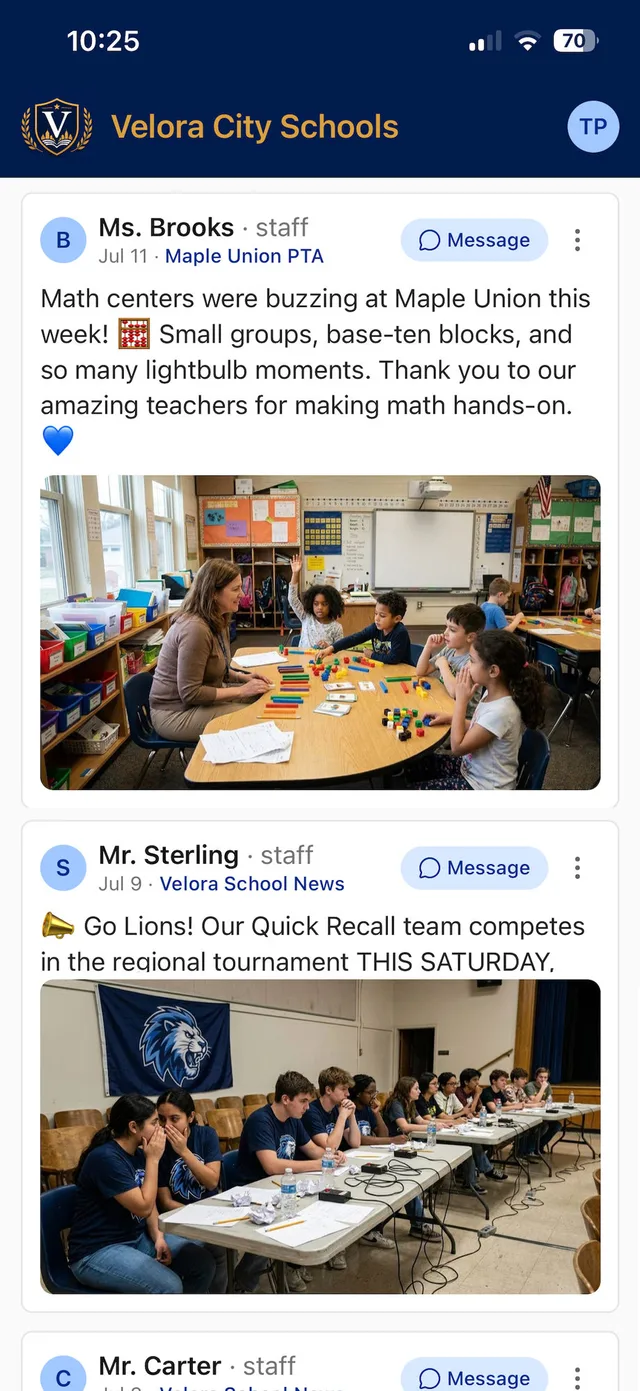
- Personalized My Feed
- Each user follows only the classrooms, teams and clubs they choose.
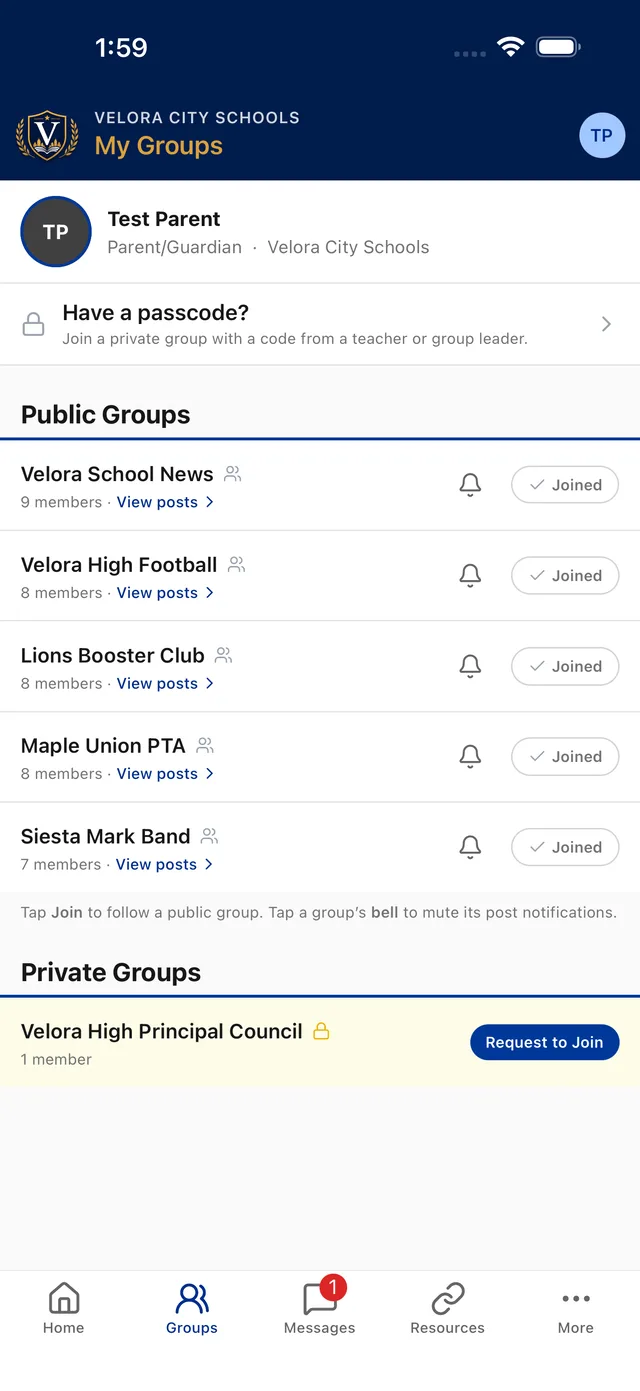
- Public groups
- One-tap subscribe to open groups like “School News.”
- Private groups
- Join by 8-digit passcode, or by a one-tap request a leader approves in the app.
- Rich posts
- Up to 25 photos per post, published in seconds. Admins can post as the school.
- Scheduled & pinned posts
- Write now and publish later. Pin a key update so it stays at the top.
- Comments & replies
- Families can join the conversation. Owners control where comments are allowed.
- Writing Help
- Five modes: more detail, clearer & warmer, shorter, grammar, and translation into 10 languages.
- Clean links
- Long URLs become tappable site names.
- Google Forms
- Attach permission slips and class forms to a post for quick, paperless collection.
Calendar, sports & school info
The everyday questions, answered in the app instead of at the front office.
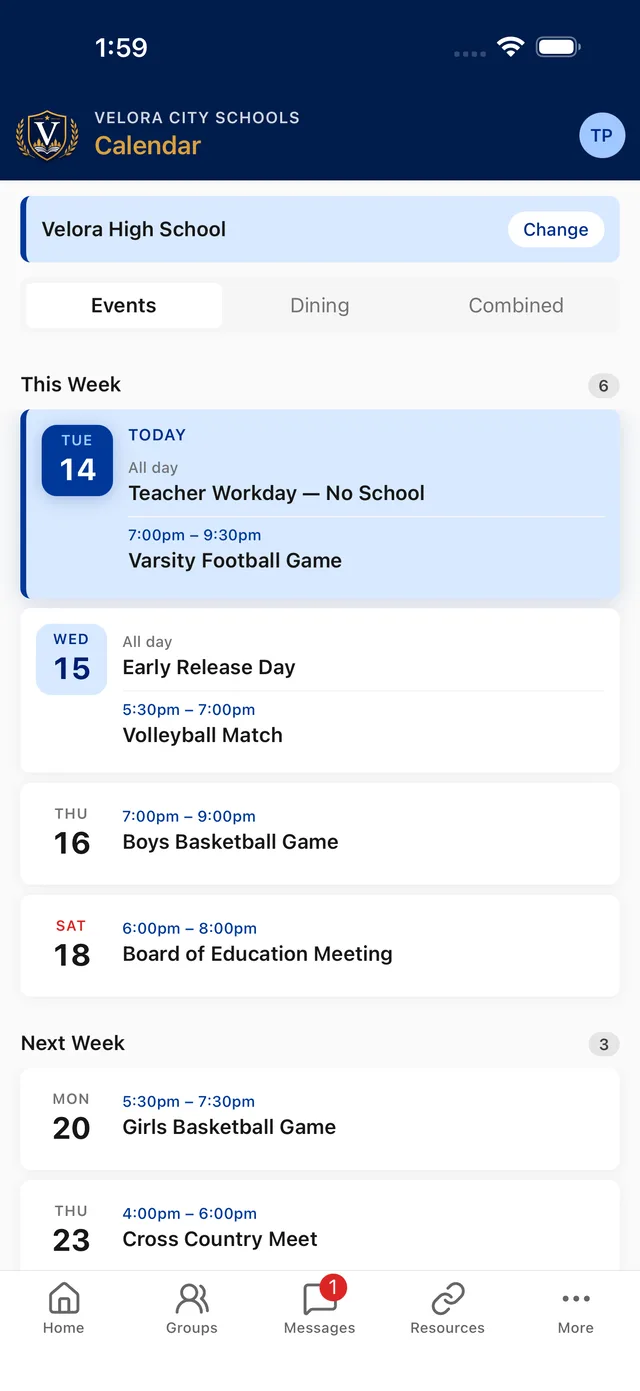
- Calendar & dining
- Single-school or district-wide events. Add any event to a phone calendar in one tap.
- Group calendars
- Team and club leaders run their own events. Members filter the calendar by group.
- Event announcements
- An event can post to the group feed right away, or a week ahead so a whole season doesn’t flood families.
- Athletics on the calendar
- Games flow into the school calendar and the Today cards automatically.
- Sports & schedules
- Rosters, headshots, records, scores, directions, and posts from every linked group.
- Staff directory
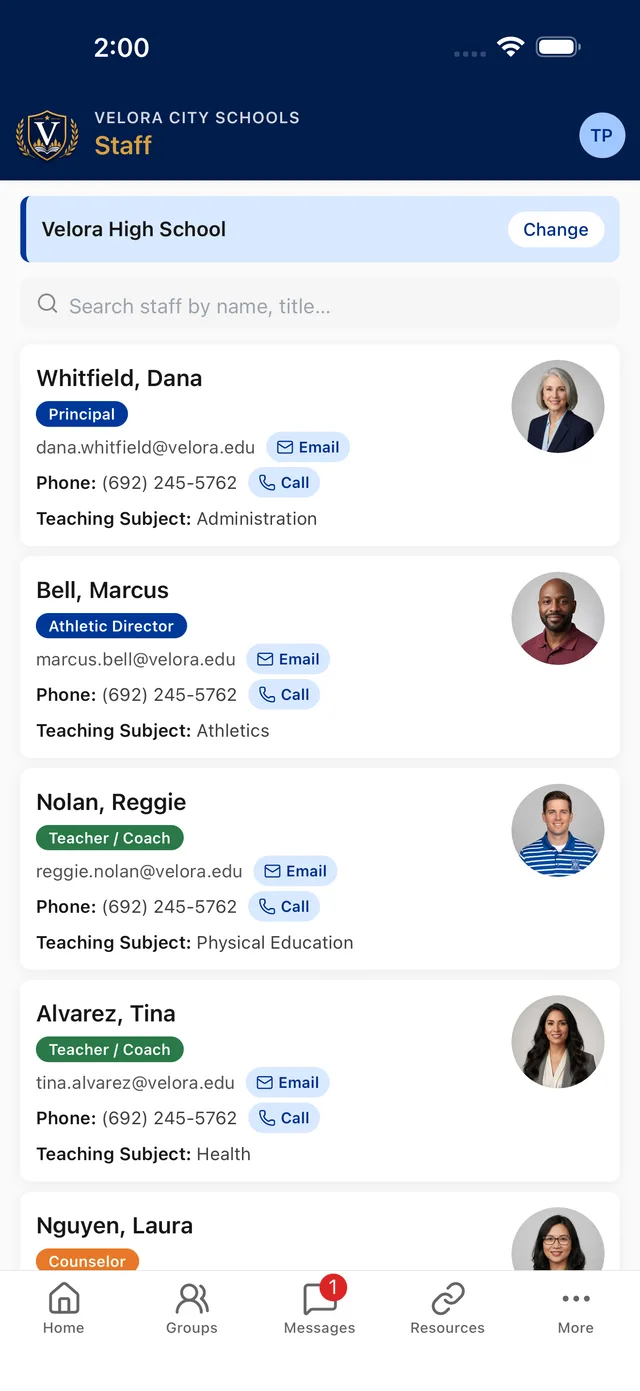
- Headshots and contact details, searchable by name or subject.
- Resources
- Curated links from your administration. Any link can be limited to signed-in users.
- Supporters & sponsors
- Recognize local backers. Optional sponsor banners come with view and tap reports.
- Weather & radar
- Conditions and forecast at a glance.
Messaging & alerts
Three channels, each controllable: mass alerts, group posts and direct messages.
- Mass alerts
- Closings and emergencies by push, email and text, plus an automated call to anyone a text can’t reach.
- Alert history
- Every alert from the past year, kept in one place.
- Push notifications
- On iOS and Android, even when the app is closed.
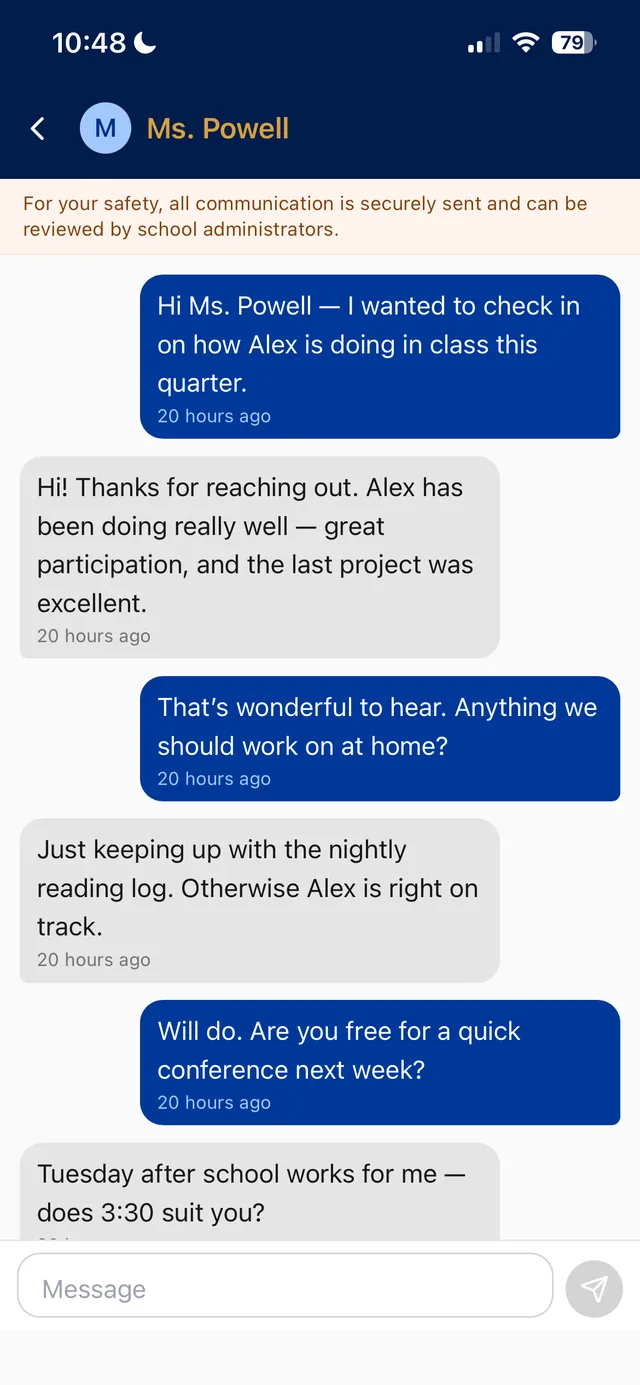
- Safe private messaging
- Families reach staff and coaches directly. Every message is tracked and reviewable.
- Photos & read receipts
- Attach photos to a message and see when it was read.
- Staff office hours
- Quiet time for teachers: after-hours messages can wait, and families see the hours.
- Event reminders
- A day-before nudge for group calendar events, muted by the same group bell.
- Per-group alert controls
- Mute any group with one tap of the bell.
- Contributor role & approvals
- Parents and students can submit posts that publish only after a leader approves.
Security & platform
Built so the school decides who gets in, who can post, and who can reach whom.
- Passwordless sign-in
- An email or phone code, done in about 20 seconds. Nothing to forget, with an optional password too.
- Account-type access control
- Students and parents can’t message one another.
- Retention & oversight
- Messages and posts are kept for review. District admins can see and join every group.
- Report & block
- Flag a post or block a user in two taps. Every report is reviewed.
- Your own branded app
- Custom logo, colors, menu and labels on the App Store and Google Play.
- Multi-school
- Switch schools within a district without signing in again.
- Instant updates
- Improvements ship over the air, with no App Store wait.
Web app
Teachers and office staff can do everything from a computer, with nothing to install.

- Same app in a browser
- Post, message, manage groups and run your calendars from a laptop or Chromebook.
- Your school’s own address
- yourschool.schoolcourier.app opens straight into your district, in your colors.
- One account, both places
- The same passwordless code or password. Your groups and permissions follow you.
- Built for a keyboard
- Write longer posts, paste from a document, attach photos straight from your computer.
- Nothing to install or update
- Always the current version. No app store, no IT rollout.
- Bots & crawlers blocked
- A one-time human check keeps the site out of search engines and away from scrapers.
- Notifications stay on the phone
- The web app is for working at a desk. Push alerts still arrive on the phone.
Devices & accessibility
Works on what your families and staff already carry.
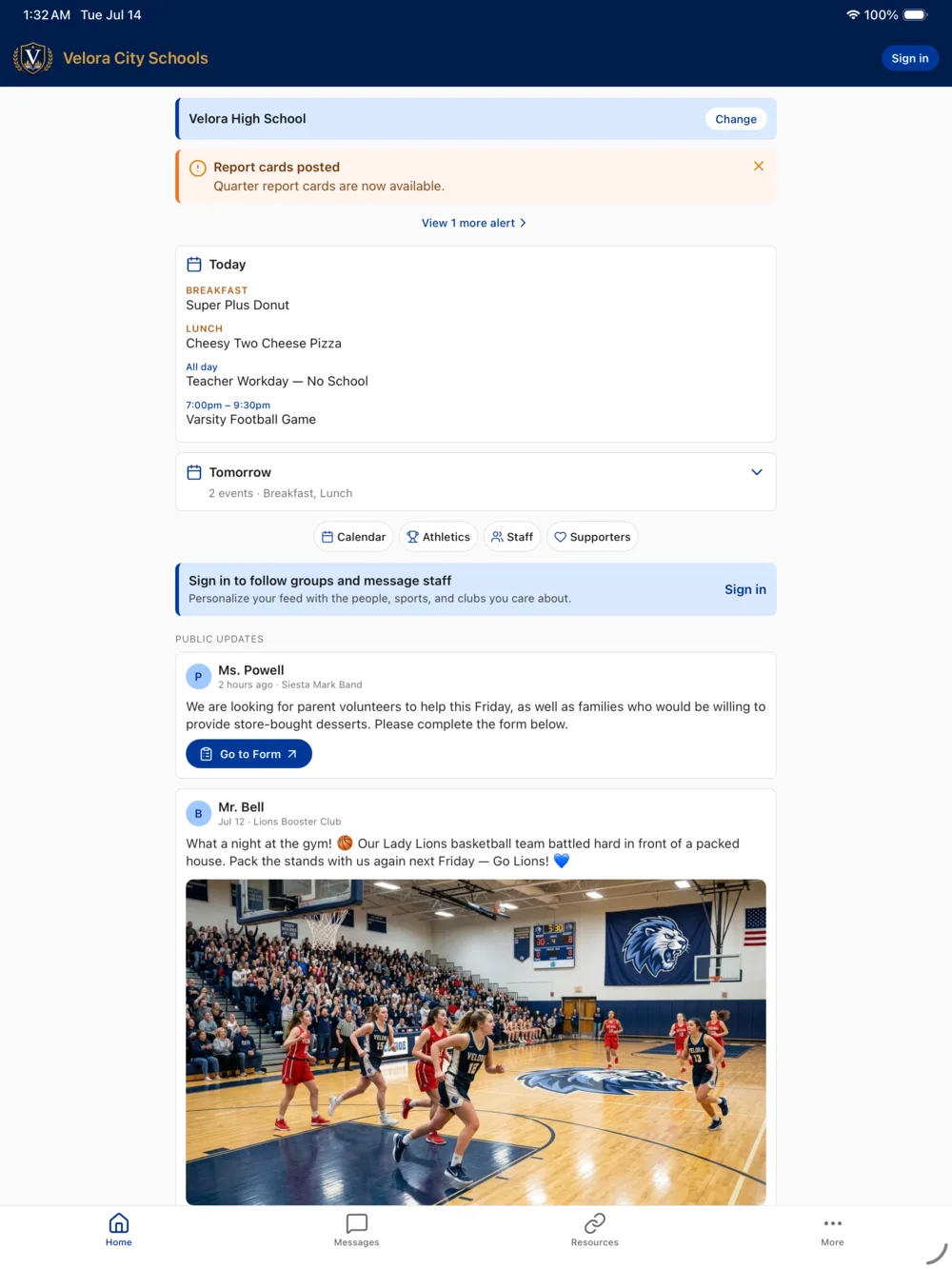
- Works on what you already have
- iPhone, iPad, Android phones and tablets, and any modern browser.
- Tablet & desktop layout
- Content settles into a readable column instead of stretching edge to edge.
- Light & dark mode
- Looks right in both, automatically.
- Accessibility
- Dynamic Type, VoiceOver and TalkBack are supported.
- Built for patchy signal
- The app keeps working through a dropped connection and catches up when it returns.
- No ad networks
- The only banners are the local sponsors you choose to recognize.
For staff & school leaders
Delegate posting to the people closest to the news without giving up the final say.
- Roles per group
- Owner, leader, contributor and member, each with its own posting, commenting and calendar rights.
- Approve before it publishes
- Pending posts and comments queue for a leader, who approves or denies in a tap.
- Approval reminders
- Leaders see what’s waiting at a glance, and a push and email nudge follows so no family is left pending.
- Group management
- Create groups, add leaders, share or reset passcodes, view the roster, set the order.
- Custom menu & labels
- Choose what appears in the tab bar and rename it for your school.
- Staff directory & rosters
- Bulk-import staff with headshots, subjects and contact details.
- Office-hours defaults
- Set school-wide messaging hours. Teachers can keep them or set their own.
Rollout & support
We do the launch work, and you can always reach the people who build the app.

- Guided launch
- We build your branded apps, submit them to both app stores, and set your district up.
- Promo kit for families
- Flyers, QR codes and social graphics ready to send home.
- Help Center
- A searchable how-to site for families, kept current with the app.
- Per-page admin help
- Step-by-step guidance built into every screen of the admin console.
- In-app help requests
- Staff and families report a problem without leaving the app, screenshots included.
- Weekly onboarding updates
- A Monday progress note: who has signed up, what’s waiting on a leader, and what we’d suggest next.
- A real support line
- Email support@schoolcourier.com and reach the people who build the app.
Need this as a handout?
The feature overview puts the whole list on two pages, ready to share with your leadership team or technology committee. No form.
See these features with your school’s data
We’ll set up a walkthrough around your schools, teams and groups, so you can judge the real thing and not a slideshow.
Request your walkthrough
30 minutes with a real person. No pressure and no slide deck.
Prefer to talk first? Book a 10-minute intro call or call (812) 727-7288.
Request received. You’ll hear from us soon.
We’ll reach out within one business day to set up your walkthrough. Want to move faster?
What happens next
-
We reply within one business day
Usually sooner, from a person who knows schools.
-
A 30-minute walkthrough
The feed, alerts, messaging and the administrator’s view, shaped around your role.
-
Board-ready pricing
A clear proposal for your size and structure. No per-message fees, no per-user pricing, no surprise overages.
“This app has been a lifesaver and has brought rave reviews in our community.”
 Josh Thompson, Athletic Director & Assistant Principal, Loogootee, Indiana